# Defining a Data Shaper workflow template
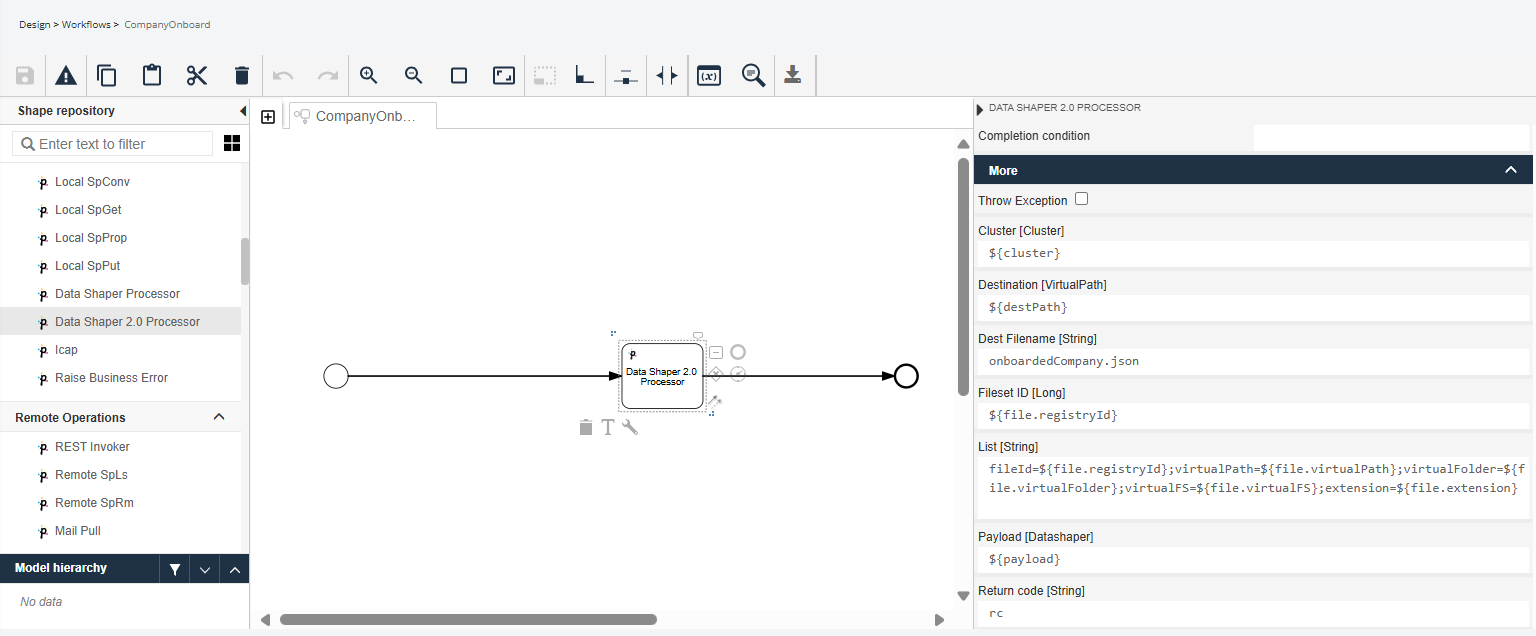
In Data Mover, go to **Design** → **Workflows** and set up a workflow template with the Data Shaper 2.0 Processor service task.
This service task invokes the Data Shaper workflow that executes data transformations on files and publishes the resulting files on a VFS. These are the variables that must be valued:
| Parameter | Type | Required | Description |
| ------------- | ----------- | -------- | ---------------------------------------------------------------------------------------------------------------------------------------------------- |
| Cluster | Cluster | Y | Cluster that must be valued in the Contract. It requires the creation of a workflow variable of type Cluster. |
| Destination | VirtualPath | Y | Virtual path where the transformed file will be placed. It requires the creation of a workflow variable of type Virtual Path. |
| Dest Filename | String | Y | Final name of the transformed file. |
| Fileset ID | Long | Y | Fileset id of the file that will be transformed. |
| List | String | N | List of variables to be passed to the Data Shaper workflow. |
| Payload | Datashaper | Y | Payload variable used in the contract to identify Data Shaper workflows. It requires the creation of a workflow variable of type Datashaper Payload. |
| Return Code | String | N | Workflow variable where the final return code will be written. |
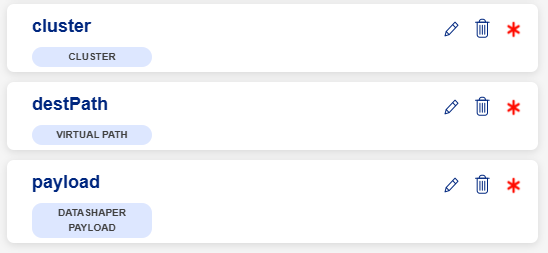
The Cluster, Destination and Payload variables must be set up so that the workflow works properly. Here below, you can see an example of the 3 variables created.
---
# Agent Instructions: Querying This Documentation
If you need additional information that is not directly available in this page, you can query the documentation dynamically by asking a question.
Perform an HTTP GET request on the current page URL with the `ask` query parameter:
```
GET https://docs.primeur.com/data-shaper-1.20/using-data-shaper-in-data-mover/defining-a-data-shaper-workflow-template.md?ask=
```
The question should be specific, self-contained, and written in natural language.
The response will contain a direct answer to the question and relevant excerpts and sources from the documentation.
Use this mechanism when the answer is not explicitly present in the current page, you need clarification or additional context, or you want to retrieve related documentation sections.