
Dashboard overview
The Dashboard provides an organized information display, facilitating monitoring, analysis, and decision-making.
Dashboards include multiple cards, each representing different charts, graphs, or key performance indicators (KPIs). You can customize the cards to display the most relevant data for your needs. Moreover, multiple dashboards can be created and customized.
Details about how to create, edit, share, and use cards are available on the Cards section.
Each card is a KPI, a value calculated using the data exposed by Data Watcher.
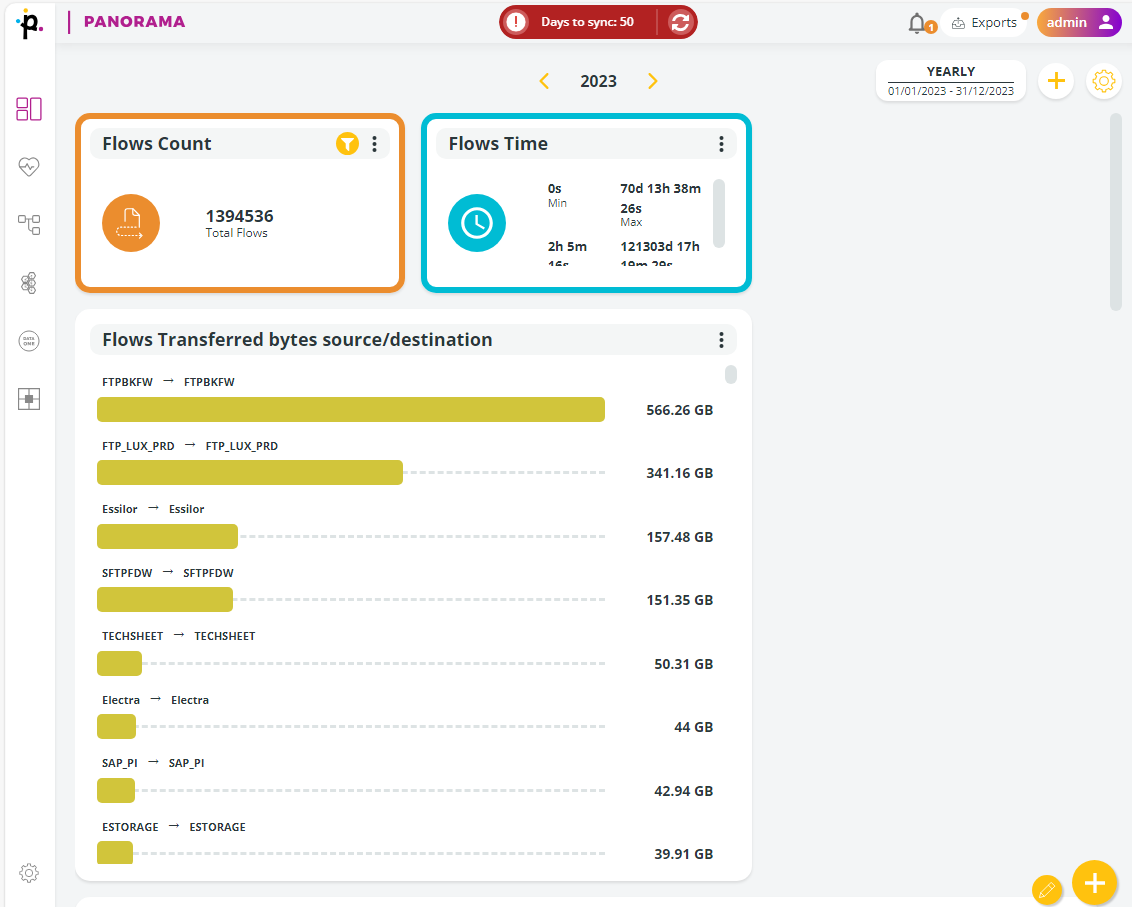
Dashboards can pull data from various sources integrated within Primeur Panorama. In this way, you can have a unified view of data from different systems and applications.
Data displayed on dashboards is updated to the last synchronization. In order to monitor current processes and performance, a system synchronization with Data Watcher must be performed.
Best practices
You can interact with the dashboards by drilling down into specific data for more detailed analysis. Options to filter data, change time ranges, and adjust views enhance the interactivity of the dashboards. They are designed to provide actionable insights by highlighting trends, and anomalies.
Dashboards can be shared with other users within the organization, facilitating collaboration and collective decision-making.
Last updated