# Error management
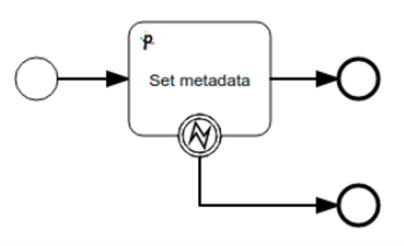
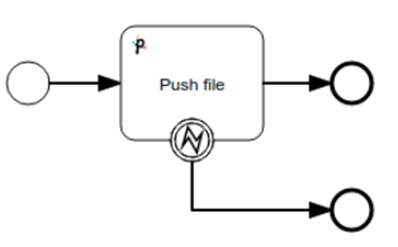
The **error management** service task handles errors during the execution of service tasks in workflows. It must be set up upon workflow creation and is represented by the **Error boundary event** icon .
Non-triggerable service tasks with the "throwException" variable enabled will have their exceptions caught by the **Error boundary** **event**, allowing the process to continue without failure.
Any service task that encounters an exception **during the command submission phase** will have the exception caught. If a push to STENG fails, the service task error can be managed.
If the service task push is successful, it submits the push (or another command) to STENG and enters a triggerable state, awaiting the completion of the remote operation. If the remote operation fails, all instances will be marked as **ERROR**.
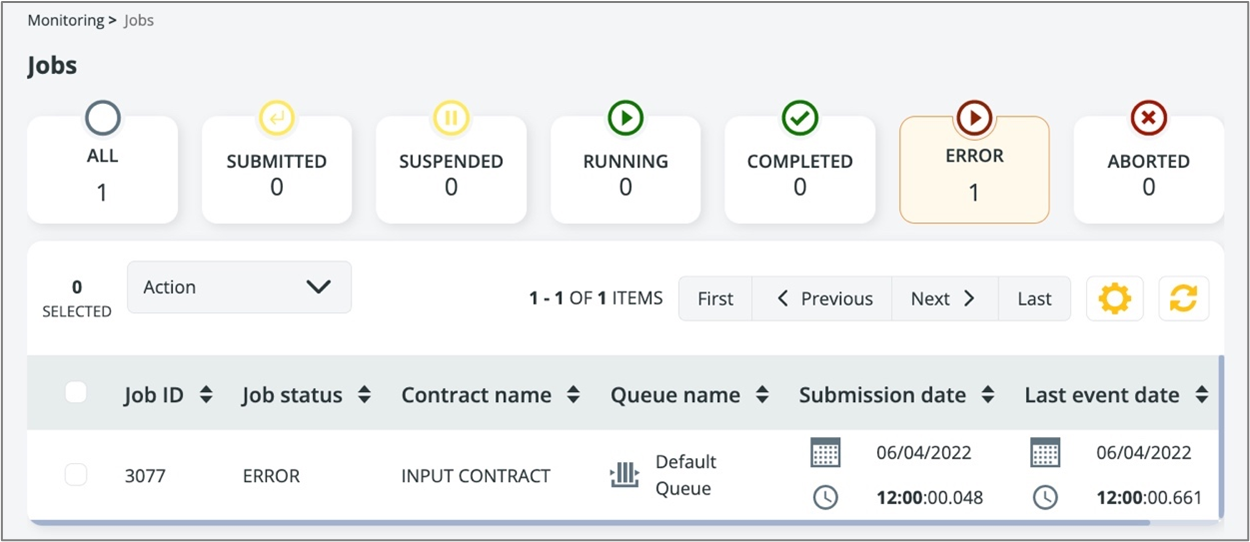
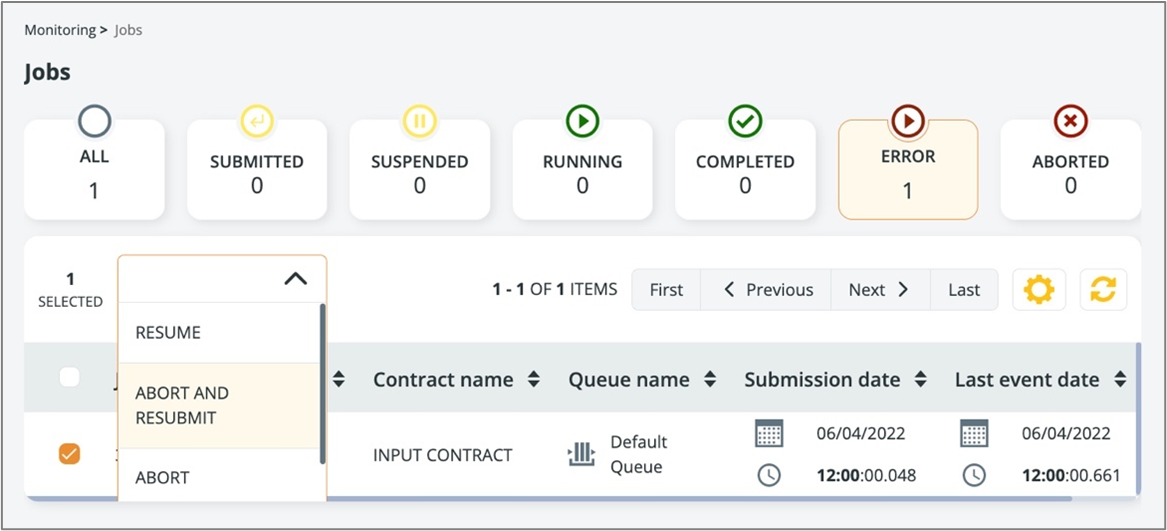
It can then be aborted and resubmitted by selecting the **ABORT AND RESUBMIT** option. The workflow in error will be aborted and a new one will start from the beginning with the same set of variables and properties.
In Data Mover, no error management is required.\
The only exception is when the user explicitly wants the workflow template to behave in a different way according to a return code, or to intentionally ignore a potential service task exception.
Remote failures on file transfers and commands cause the instance itself to fail.
The instance can then be **RESTARTED** (the error instance becomes aborted and a new one will start from the beginning with the same set of variables and properties) or the single service task can be executed again with the **RETRY** option (in this case only the service task that failed is scheduled, anything preceding it will not be re-executed).
{% hint style="info" %}
Anytime you are on an error boundary event branch, no variable defined in the service task that has just failed is available since... it has failed! In all ServiceTasks that are failing internally (and modeled with the **Throw Exception** variable enabled), only 2 process variables are guaranteed in the Error Boundary Event used to manage the exception:
* ${ExceptionMessage}: containing a descriptive message of the exception
* ${ExceptionStackTrace}: containing the full stack trace of the exception (for debugging purposes)
{% endhint %}
{% hint style="warning" %}
Don't forget to set conditions on every branch coming out of an exclusive gateway.
{% endhint %}
{% hint style="danger" %}
Remember that any triggerable service task that gets a schedule RC that is not 0 will throw an exception! This is because otherwise, it would wait for an event that will never come since the schedule has failed. Therefore, always mark your triggerable service tasks with a throw exception and an error boundary event for proper management.
{% endhint %}
---
# Agent Instructions: Querying This Documentation
If you need additional information that is not directly available in this page, you can query the documentation dynamically by asking a question.
Perform an HTTP GET request on the current page URL with the `ask` query parameter:
```
GET https://docs.primeur.com/data-mover-1.21/workflow-templates/service-tasks/error-management.md?ask=
```
The question should be specific, self-contained, and written in natural language.
The response will contain a direct answer to the question and relevant excerpts and sources from the documentation.
Use this mechanism when the answer is not explicitly present in the current page, you need clarification or additional context, or you want to retrieve related documentation sections.