# Retention classes

A **Retention Class** is a set of properties that define how long files - both internal and external - must be kept in Data Mover after being managed.

To access Retention Classes, go to **Setup** → **Retention Classes**.

<figure><img src="/files/i9WFWerHjYksueGYpAf2" alt=""><figcaption></figcaption></figure>

The Retention Classes page is quite simple to navigate. Here is how you do it.

On the left side of the screen you will see the list of results - this will show already created Retention Classes. The results are completed with these details:

* their **Name**
* the **Description** they are associated with

You can sort through results by clicking the ![](https://files.readme.io/83b7746-icona_2.png)icon next to the **Name** wording. **In case of lowercase and uppercase classes, uppercases' are listed before!**

At the top of the list of results, a toolbar is available. Learn how to use it [here](/data-mover-1.21/getting-started/navigate-through-primeur-data-mover.md#the-toolbar).

For each Retention Class, you can also click on the ![](https://files.readme.io/e713f6a-three_dots_icon.png) icon to:

* EDIT the Retention Class
* DELETE the Retention Class

{% hint style="info" %}
If a Retention Class is linked to a VFS or VFS Path, it cannot be deleted!
{% endhint %}

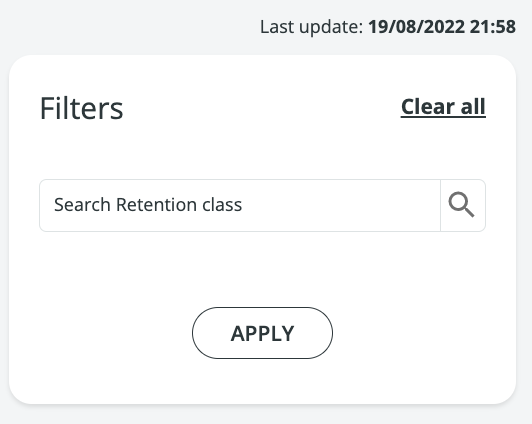
The right side of the screen is where you will find the Filters panel. **Note that the edit box is case-sensitive!**

<figure><img src="https://files.readme.io/4a68257-RetentionClassFilter.png" alt="" width="188"><figcaption></figcaption></figure>

You will find the time and date of the **last update** to the page at the top of the Filters panel.

Last but not least, click the **New** button to create a new Retention Class.\
Fill in these fields:

<table><thead><tr><th width="283.5999755859375">Field</th><th>Description</th></tr></thead><tbody><tr><td><strong>NAME (*)</strong></td><td>Assign a Name to the Retention Class.</td></tr><tr><td><strong>DESCRIPTION</strong></td><td>Enter the description of Retention Class.</td></tr><tr><td><strong>EXPIRY AFTER PUT (HOURS) (*)</strong></td><td>Set for how many hours the file must remain in Data One once delivered.<br>The minimum value is 1 hour.</td></tr><tr><td><strong>EXPIRY AFTER GET (HOURS) (*)</strong></td><td>Set for how many hours the file must remain in Data One once received.<br>The minimum value is 1 hour.</td></tr></tbody></table>

Once you have created the Retention Class, press **Save** and your Retention Class will appear in the Result list.


---

# Agent Instructions: Querying This Documentation

If you need additional information that is not directly available in this page, you can query the documentation dynamically by asking a question.

Perform an HTTP GET request on the current page URL with the `ask` query parameter:

```
GET https://docs.primeur.com/data-mover-1.21/virtual-file-systems/retention-classes.md?ask=<question>
```

The question should be specific, self-contained, and written in natural language.
The response will contain a direct answer to the question and relevant excerpts and sources from the documentation.

Use this mechanism when the answer is not explicitly present in the current page, you need clarification or additional context, or you want to retrieve related documentation sections.
