# Business scenario
This is an example of the use of file routing associated with a Contract, where a file is zipped and copied to a specific virtual path.
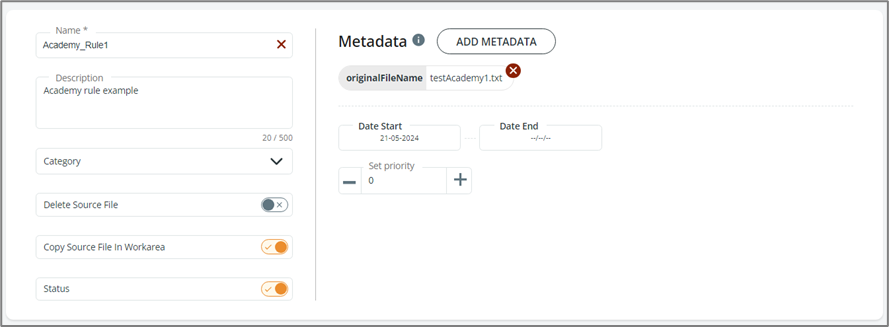
Let’s start by creating a rule that acts on the testAcademy1.txt file.
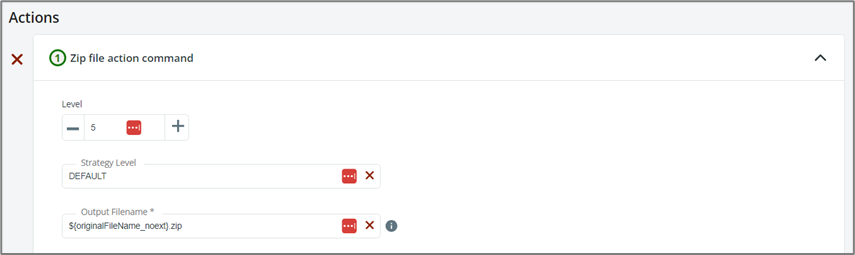
The file will be zipped, and it will keep its original filename without extension. Its new name will be testAcademy1.zip.
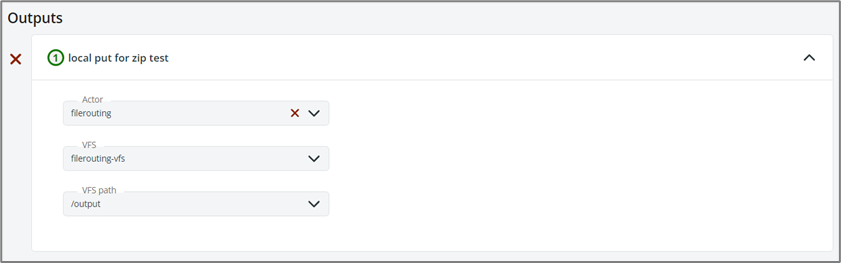
As output, we want the file to be copied to a VFS called filerouting-vfs, path /output.
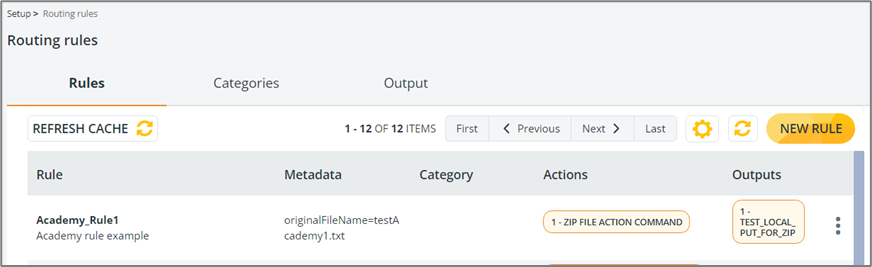
By saving our rule, it will appear on the main page:
We now configure a Contract of type **New File** to which we associate the file routing workflow.\
It is important to note that in the **Source virtual path** section, the **Actor**, **VFS** and **VFS path** must be those that trigger the new file contract for file routing.\
To simplify, in this example, a virtual path configured in file routing VFS is used.
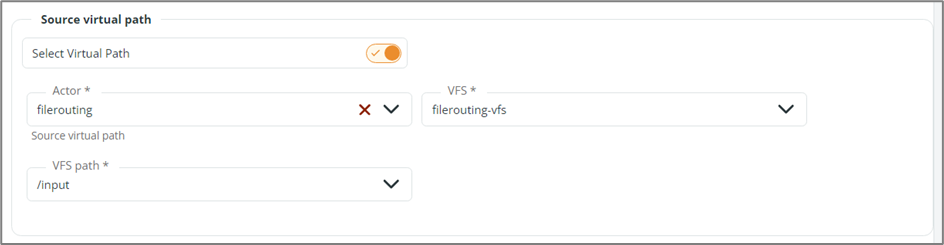
Also the **Actor** and **File resources** must be those of file routing:
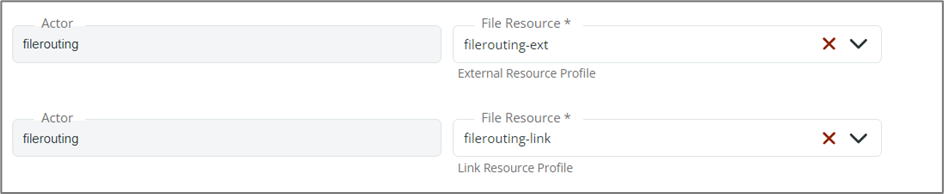
The **workareaPath** must be the shared path configured in the storage class:
The **Actor**, **VFS** and **VFS path** of the **workareaPath virtual path** must be those of the file routing.

Once the file enters the system, the rule will be applied and the testAcademy1.zip file will be created.\
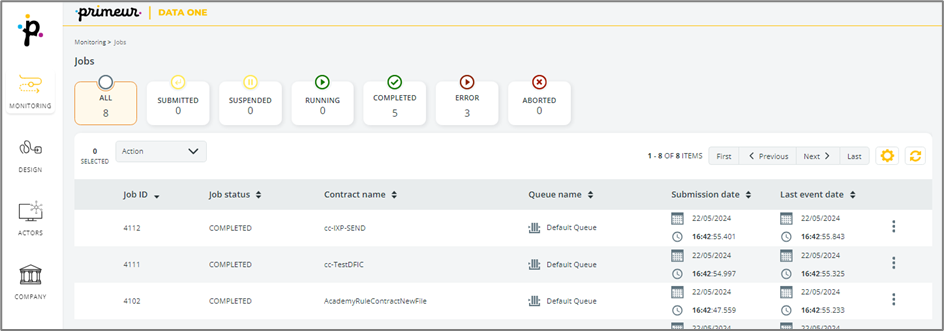
Going to **Monitoring** → **Jobs**, we can see that the AcademyRuleContractNewFile Contract is COMPLETED.
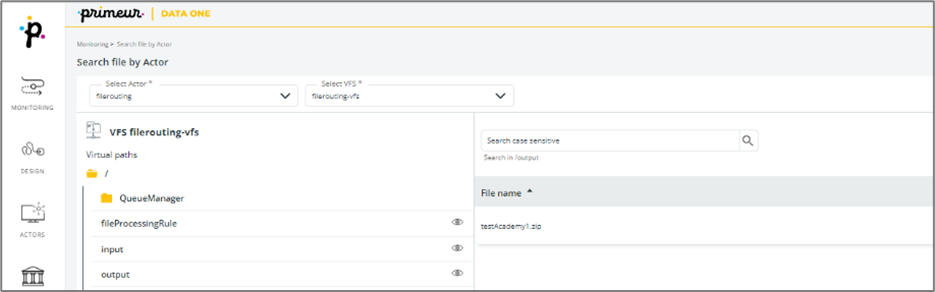
Going to **Monitoring** → **Search File by Actor**, we can see the testAcademy1.zip file in the **output** virtual path of the VFS.
---
# Agent Instructions: Querying This Documentation
If you need additional information that is not directly available in this page, you can query the documentation dynamically by asking a question.
Perform an HTTP GET request on the current page URL with the `ask` query parameter:
```
GET https://docs.primeur.com/data-mover-1.21/file-routing/business-scenario.md?ask=
```
The question should be specific, self-contained, and written in natural language.
The response will contain a direct answer to the question and relevant excerpts and sources from the documentation.
Use this mechanism when the answer is not explicitly present in the current page, you need clarification or additional context, or you want to retrieve related documentation sections.