# Lineage with Input, Mediation and Output contracts
When **Data Mover is set up as a client**, input, meditation, and output contracts are configured.
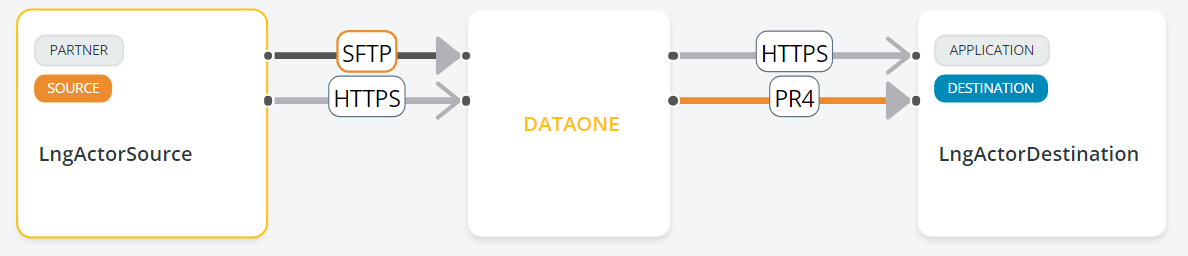
In the figure below, with the SFTP protocol, Data Mover is set up as a client both in input and output as indicated by the filled-up arrow symbols:
The SFTP chip on the left (input) has an orange arrow in the output. Clicking on the PR4 output will take you to the most detailed level, where you can see the flow and its configuration.
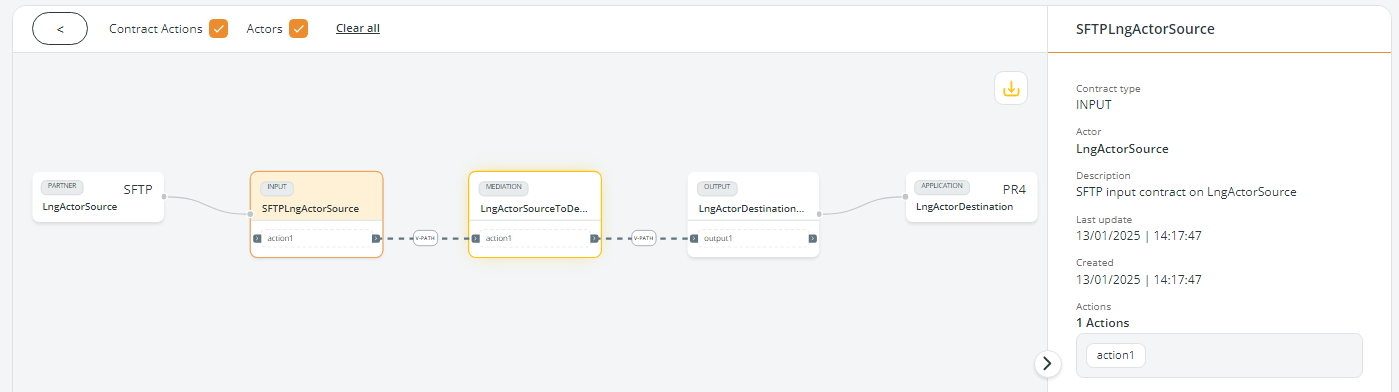
In the figure above, the Lineage shows the complete flow, whose configuration includes:
* a **source partner** where Data Mover collects files via SFTP
* the **input contract** configured to collect the files via SFTP, with one action
* a **mediation contract** with one action
* an **output contract** with one action
* a **destination application** that receives the files via PR4 protocol
When clicking a box, all details will appear in the panel on the right.
By clicking the **upper part of the box**, the Contract type, Actor, Description, Last update, and Creation date, together with the number of actions, are shown.
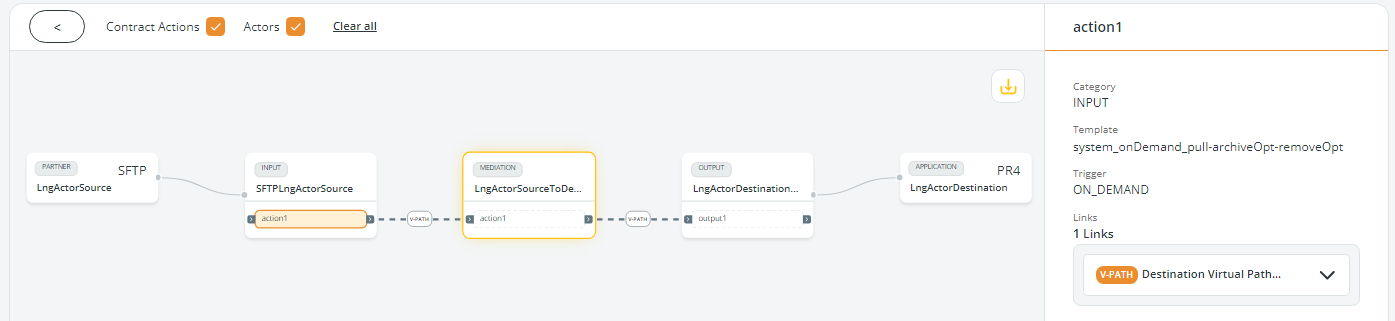
By clicking action1 in the **lower part of the box**, the Category, Template, Trigger, and links of the input contract, with all the details, are shown:
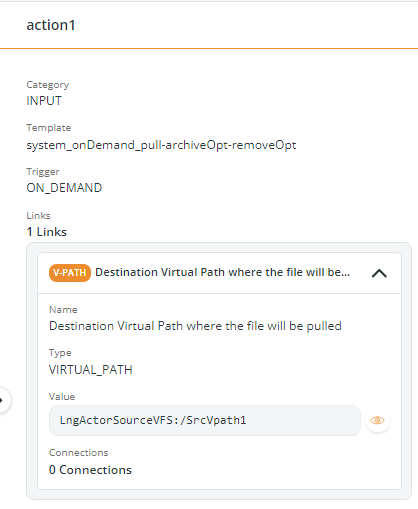
You can click on the links to expand the panel:
The same logic applies to the MEDIATION and the OUTPUT boxes:
* Clicking the upper part of the box, the type of Contract, Action, Description, and Actions are shown.
* Clicking the lower part of the box, the Category, Template, Trigger, and contract links with all the details, are shown.
---
# Agent Instructions: Querying This Documentation
If you need additional information that is not directly available in this page, you can query the documentation dynamically by asking a question.
Perform an HTTP GET request on the current page URL with the `ask` query parameter:
```
GET https://docs.primeur.com/data-mover-1.21/actors/actor-lineage/lineage-with-input-mediation-and-output-contracts.md?ask=
```
The question should be specific, self-contained, and written in natural language.
The response will contain a direct answer to the question and relevant excerpts and sources from the documentation.
Use this mechanism when the answer is not explicitly present in the current page, you need clarification or additional context, or you want to retrieve related documentation sections.